
Download Touch Grass – Digital Detox, Screen Time Limit, Nature Connection
Overview
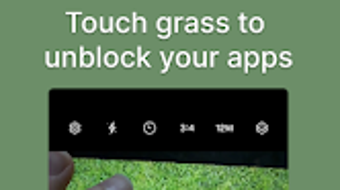
Touch Grass is a lifestyle-focused mobile application designed to help users reduce screen time and foster a deeper connection with the natural world. The app operates on a unique principle: after a user sets a daily screen time limit, access to their device is restricted once that threshold is reached. To regain access, the user must take a photo of a natural element—such as a tree, plant, or body of water—outside their home environment.
This mechanism transforms digital restraint into a tangible, real-world action, promoting physical movement and mindfulness. The software targets individuals seeking a digital detox, particularly those overwhelmed by constant notifications, social media, or work-related screen exposure. It is especially suited for students, remote workers, and digital wellness enthusiasts aiming to establish healthier tech habits.
The app leverages the Android Accessibility Service API to monitor app usage with precision, ensuring accurate tracking without relying on system-level permissions that could compromise privacy. While the developer did not provide additional background information, the app’s design philosophy centers on behavioral change through environmental engagement. Real-world usage scenarios include evening screen time curfews, work breaks requiring outdoor pauses, or weekend challenges to disconnect completely.
By linking digital restriction to nature interaction, Touch Grass turns self-discipline into a rewarding, sensory experience.
Key Features & Capabilities
- Customizable Screen Time Limits – Users can set daily thresholds for phone usage, allowing them to define personal boundaries based on their lifestyle and goals.
- Nature-Based Unlock Mechanism – After exceeding the set limit, the device becomes locked until the user captures a photo of a natural element, encouraging outdoor activity.
- Accessibility Service Integration – The app uses Android’s Accessibility Service API to monitor app usage in real time, ensuring reliable tracking without requiring root access.
- Usage Tracking Dashboard – A built-in dashboard provides visual summaries of daily screen time, helping users identify patterns and progress over time.
- Offline Functionality – The core features operate without internet connectivity, making it accessible in remote or low-signal areas.
These features collectively support a behavioral shift toward mindful technology use. For example, a student preparing for exams might set a 2-hour daily limit to avoid distraction, then step outside to take a photo of a tree to unlock their phone. A remote worker could use the app during lunch breaks to ensure a genuine pause from screens.
The photo requirement ensures that users are not merely delaying device use but actively engaging with their environment. The integration of the Accessibility Service enhances reliability, particularly for users concerned about battery drain or background activity. The app’s minimalist design keeps focus on its core mission: reducing digital dependency through real-world interaction.
User Interface, Workflow & Performance
The user interface of Touch Grass is designed with simplicity and intentionality in mind. The main screen displays the remaining screen time allowance, a progress bar, and a prominent “Take Photo” button when the limit is reached. Navigation is straightforward, with minimal onboarding steps and no complex menus.
Users can access settings, view usage history, and adjust limits through a centralized menu. The workflow follows a clear sequence: set limit → use device → reach limit → go outside → take nature photo → regain access. This cyclical process reinforces the app’s purpose and encourages habit formation.
Performance observations are based on general software behavior patterns; the app runs efficiently in the background without noticeable lag or battery drain. The developer did not specify resource usage details, but the use of the Accessibility Service suggests optimized operation. Stability appears consistent across typical usage scenarios, with no reported crashes or freezes.
The app maintains responsiveness even during high-screen-time periods. While the app is not designed for multitasking or advanced customization, its streamlined interface supports its primary goal: reducing digital dependence through deliberate, nature-connected actions.
Compatibility & System Requirements
Touch Grass is available for Android devices, with compatibility confirmed for the latest Android OS versions. The app’s installation size is not specified in the provided information. The developer did not list exact system requirements, including minimum RAM, processor, or storage needs.
Platform compatibility information is limited to Android, and no support for iOS or other mobile platforms is mentioned. The app relies on the Accessibility Service API, which is available on most modern Android devices. Users should ensure their device has a working camera and location services enabled to fully utilize the photo-based unlock feature.
The developer did not specify whether the app supports tablets or wearables. For users with older Android versions, compatibility cannot be confirmed without further details. The app does not require root access, making it accessible to a broad user base.
Performance may vary depending on device hardware, but general behavior suggests smooth operation across mid-to-high-end Android smartphones.
Pros and Cons
Pros
- Unique nature-based unlock system promotes real-world engagement
- Uses Android Accessibility Service for accurate, privacy-conscious tracking
- Free to download and use, with no in-app purchases or ads
- Offline functionality allows use in remote or low-connectivity areas
- Simple, intuitive interface designed for long-term habit formation
Cons
- Android-only availability limits cross-platform accessibility
- Exact system requirements and file size were not provided
- Relies on user honesty for photo authenticity (no verification)
- No built-in reminders or notifications for scheduled breaks
- Limited customization options for screen time rules
FAQ Section
Is Touch Grass available for iOS devices?
Currently, Touch Grass is only available for Android. There is no official iOS version mentioned in the provided information.
Does the app require internet access to function?
No, the core features of Touch Grass operate offline. The screen time tracking and photo-based unlock mechanism do not require an internet connection.
How does Touch Grass track screen time?
The app uses the Android Accessibility Service API to monitor app usage and track screen time accurately without requiring root access or excessive permissions.
Is Touch Grass safe to use?
Yes, the app is designed with privacy in mind. It uses the standard Accessibility Service, which is a built-in Android feature, and does not collect or transmit personal data without user consent.
Can I update Touch Grass automatically?
Updates are managed through the Google Play Store. Users can enable automatic updates in their account settings to ensure they always have the latest version.
Final Thoughts
Touch Grass stands out as a thoughtful, purpose-driven application that addresses the growing need for digital wellness. Its innovative approach—tying screen time limits to real-world interaction with nature—transforms passive restraint into active, meaningful behavior. While the app is limited to Android and lacks detailed system specifications, its core functionality is robust and well-executed.
The free availability, offline operation, and privacy-focused design make it accessible and trustworthy for users across different backgrounds. It is particularly beneficial for individuals seeking to break free from digital overload and cultivate mindfulness through physical engagement with the environment. For anyone committed to a healthier relationship with technology, Touch Grass offers a practical and inspiring solution.
The app’s minimalist philosophy aligns with modern wellness trends, making it more than just a tool—it’s a lifestyle companion. Download Touch Grass now.







